Start with a spark.
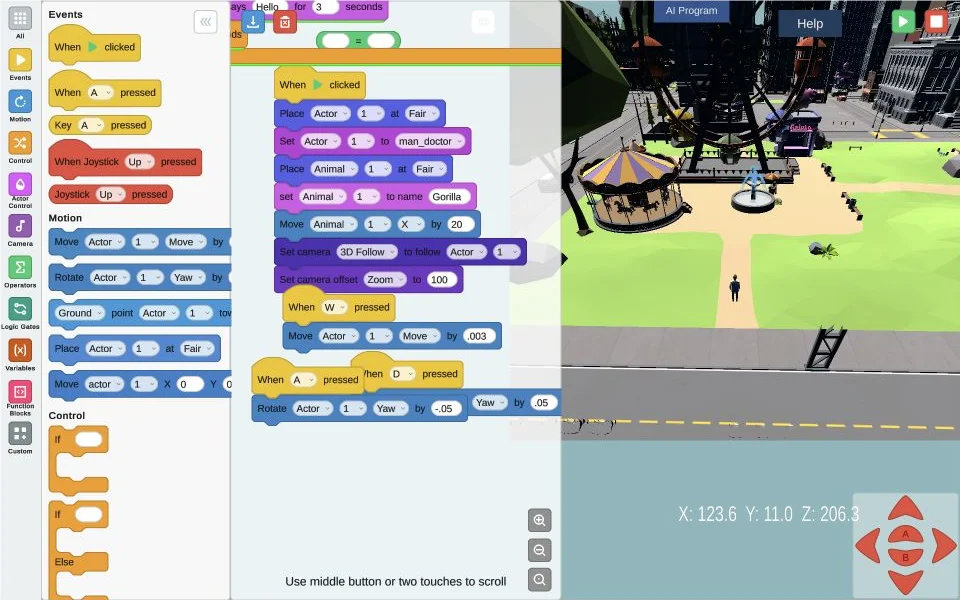
Open a built-in example and see how its blocks work. You don’t have to start from a blank canvas.
MAKE / PLAY / EXPLORE
Little blocks. Big possibilities.
Turn ideas into interactive worlds with visual code. Explore an example, connect some blocks, and see what you can make.
Launch Block PlaygroundFree to explore. No account or email signup.
Best used on a Chromebook, Mac, or PC.
On your phone? Bookmark this page and come back on a computer. The WebGL playground is designed for computer use.
BUILT FOR CURIOSITY
Try it in your classroom.
Open a built-in example and see how its blocks work. You don’t have to start from a blank canvas.
Invite students to predict what will happen. Change a block, run it, and compare the result together.
Build on an idea, explore a new scene, or make a game. Give students room to test, tinker, and try again.
MEET THE DEVELOPER
I’m a developer and educator building tools for creativity and exploration. Block Playground is ready to try today. Here’s what I’m working on next.
LET’S BUILD ON YOUR IDEAS
Have an idea for Block Playground, or a feature you’d love to see? I’d like to hear it.
codycreedteach@gmail.com
HELLO, ATLE
Found me at ATLE? Save this page for your next class or share it with a fellow teacher. This QR brings you back here, where you can launch the playground on a computer.
Bookmark this page for later
A link worth keeping.